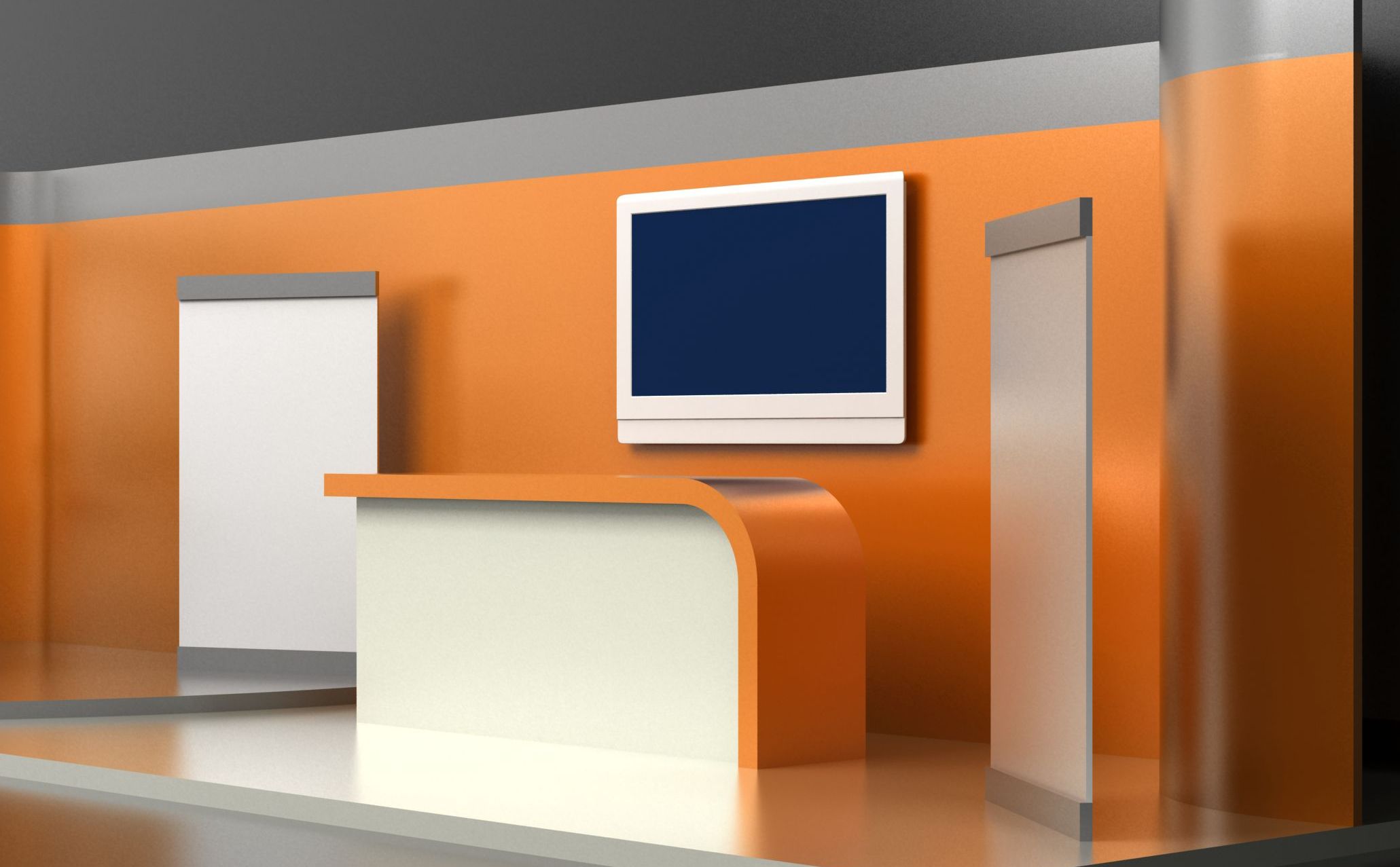
How to Pick the Right TV Size for Your Trade Show Booth
When planning a trade show booth, most companies focus on graphics, lighting, flooring, and booth structure - but one of the most important engagement tools is often overlooked: the TV or digital display.
The right screen can stop attendees in their tracks, showcase your products, run demos, display motion graphics, and create a more immersive brand experience. The wrong screen? It can look tiny, washed out, awkwardly placed, or overpower the booth entirely.
Whether you’re exhibiting in Vancouver, Kelowna, Edmonton, Calgary, or Toronto, choosing the right TV size for your trade show booth can dramatically impact visibility, engagement, and ROI.
Why Screen Size Matters at Trade Shows
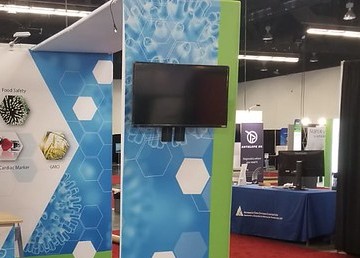
Trade show floors are noisy, visually crowded environments. Your TV needs to compete with neighboring exhibits, overhead lighting, and constant foot traffic.
A screen that’s too small:
Gets lost in the environment
Is difficult to read from a distance
Fails to attract attendees
A screen that’s too large:
Dominates the booth
Creates viewing angle issues
Can overwhelm messaging and graphics
Becomes difficult and expensive to transport
At Westkey Xibita, digital displays are often integrated into larger custom exhibit experiences to create stronger audience engagement and storytelling.
Start with Your Booth Size
The size of your trade show booth should determine the scale of your TV display.
10’ x 10’ Booths
Recommended TV sizes:
43”
50”
55”
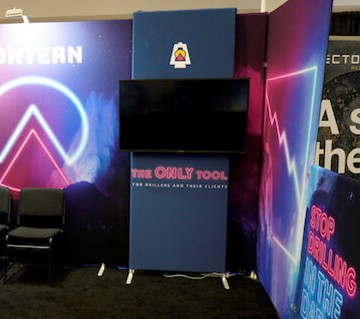
In smaller inline booths, a massive screen can make the space feel cramped. A 50” or 55” screen is usually the sweet spot for visibility without overpowering the environment.
Real-World Example
A software company exhibiting at a local business expo in Kelowna used a single 50” display mounted beside a branded backdrop. The screen looped short customer testimonial videos and software demos. Because the content was concise and readable, attendees could understand the message within seconds while walking past.
10’ x 20’ Booths
Recommended TV sizes:
55”
65”
Dual-screen setups
Larger booths allow for multiple engagement zones. One screen can attract visitors while another handles product demos or presentations.
Tip:
If your booth has seating or consultation areas, consider adding a secondary screen for presentations or sales conversations.
20’ x 20’ Island Booths
Recommended TV sizes:
75”
LED walls
Video walls
Multiple displays
Large island exhibits often benefit from larger-format digital experiences that can be seen from across the trade show floor.
At bigger events in Toronto or Calgary, exhibitors commonly use elevated screens or suspended LED displays to increase long-distance visibility.
Viewing Distance Is Everything
A simple rule:
The farther away attendees are, the larger your screen should be.
Approximate visibility guidelines:
43” TV: best viewed within 6–8 feet
55” TV: best viewed within 8–12 feet
65” TV: best viewed within 10–15 feet
75”+ TV: ideal for attracting attention from across aisles
If your screen contains small text, product specs, or technical diagrams, sizing becomes even more critical.
Brightness Matters More Than Most People Think
Trade show halls have inconsistent lighting. Some convention centers use harsh overhead lighting that can completely wash out low-quality screens.
This is especially important when exhibiting in large venues like:
Vancouver Convention Centre
BMO Centre Calgary
Edmonton Expo Centre
Metro Toronto Convention Centre
A brighter commercial-grade display will often outperform a larger consumer TV with poor brightness levels.
This aligns closely with broader exhibit design strategies discussed in Westkey Xibita’s article about booth lighting and visibility.
Portrait vs. Landscape Displays
Most exhibitors automatically choose landscape orientation, but portrait displays are becoming increasingly popular for:
Social media-style content
Interactive wayfinding
Product showcases
Digital signage
Portrait screens also take up less horizontal space, making them ideal for compact portable exhibits.
You can explore portable exhibit options here:
https://westkeyxibita.com/portable-exhibits
Don’t Forget Audio Challenges
Trade show floors are loud.
If your presentation relies heavily on sound:
Use directional speakers
Add captions to all videos
Keep messaging visual-first
Many successful exhibitors now create silent-loop videos optimized specifically for trade show environments.
Consider Transport and Setup Logistics
Before purchasing a giant display, ask:
Who will transport it?
Does it fit in standard cases?
Can your staff safely install it?
Does your booth structure support the weight?
Portable exhibits often prioritize lightweight setups and fast installation. Oversized TVs can complicate shipping, drayage, and setup costs.
Learn more about portable and modular exhibit solutions here:
https://westkeyxibita.com/portable-exhibits
The Best Screen Content for Trade Shows
Even the perfect TV size won’t help if the content is weak.
Your screen content should:
Be readable from a distance
Use minimal text
Focus on motion and visuals
Deliver one clear message
Loop continuously within 30–60 seconds
This supports the same “less is more” philosophy discussed in Westkey Xibita’s article on avoiding cluttered trade show booths.
Common Trade Show TV Mistakes
Using Consumer TVs in Bright Environments
Consumer televisions are often not bright enough for convention center lighting.
Placing Screens Too High
Attendees shouldn’t need to crane their necks to watch your content.
Overloading Videos with Information
Visitors usually give you only a few seconds of attention.
Choosing TVs Based Only on Price
A cheaper screen that fails on the show floor costs more in missed engagement.
Should You Use One Large Screen or Multiple Smaller Screens?
It depends on your goals.
One Large Screen Works Best For:
Brand awareness
Big visual impact
Motion graphics
Large booth visibility
Multiple Smaller Screens Work Best For:
Product demos
Interactive experiences
Multiple product categories
Different audience segments
A well-designed booth uses screens strategically as part of the overall visitor journey - not just as decoration.
This is consistent with how successful exhibit composition and booth flow are planned in professional exhibit design.
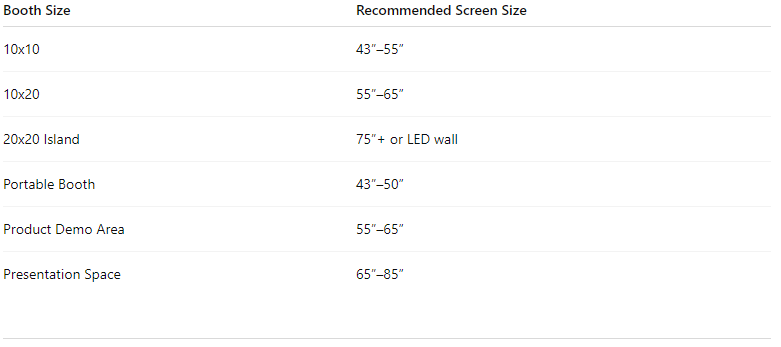
Recommended TV Sizes by Booth Type
Final Thoughts
The right TV can transform your trade show booth from static to engaging. But choosing the correct size involves more than simply buying the biggest screen possible.
You need to consider:
Booth dimensions
Viewing distance
Lighting
Content strategy
Transportation
Visitor flow
Overall exhibit design
A properly integrated digital display should support your messaging, attract attention, and help create memorable interactions on the show floor.
Whether you’re exhibiting in Vancouver, Kelowna, Edmonton, Calgary, or Toronto, thoughtful screen selection can significantly improve trade show performance.
Ready to Build a Better Trade Show Experience?
At Westkey Xibita, we design and build custom trade show booths, portable exhibits, branded environments, and digital display solutions that help brands stand out across Canada.
Explore:
Or contact the team today to start planning your next exhibit experience!